Global sections authoring
Global sections let content shared across
many pages be edited once, in one place. This page is the developer side of
that: how a global-section field is added to a section’s own config so an
editor can pick which shared instance appears where.
Enabling global sections in a theme
Section titled “Enabling global sections in a theme”Global sections aren’t available until a theme turns them on. A theme does
this the same way it configures any other post type: by adding a
global.yaml file to its post-types directory (the directory .sek.yml’s
postTypes: key points at, the same directory that already holds
main.yaml, page.yaml, or any other per-post-type config):
config/post-types/├── main.yaml├── page.yaml└── global.yaml # turns global sections on for this themeglobal.yaml configures the reserved Global Sections post type
exactly the way main.yaml configures the main post type: it’s an
ordinary post-type config file, not a separate switch or setting screen. Its
one required piece is a sections field declaring which underlying section
types can be authored as a global instance:
fields: - label: Allowed Sections handle: sections type: sections sections: - hero - ctaWith global.yaml present, the Global Sections admin list and edit
screens described below become available: that’s where an editor
authors the shared instances themselves. A theme that never adds
global.yaml simply has no global-sections post type, in the same way a
theme that never lists a section handle under main.yaml doesn’t have that
section type available on its main post type. Unlike main.yaml, there’s no
fallback here: global is a reserved, standalone post-type handle, and
an absent global.yaml means there is no global-sections post type at
all, not a default one.
One authoring constraint worth knowing up front: a global section’s own
fields can’t include another global-section field: a global can’t
reference another global.
This is what makes the field type below meaningful: global.yaml is what
makes global-section instances authorable in the first place; the
global-section field is the per-page picker an author adds to reference
one of those instances from a page.
The global-section field type
Section titled “The global-section field type”global-section is a reference-picker field: placed inside any section
type’s fields: list, it lets a content editor choose one existing global
section by id and embed it at that point in the page.
global-section
Premium
No configuration options.
Its config is the common base every field type shares (label, handle,
description, validation, showWhen, adornment,
triggersPreviewRefresh) and nothing more: there’s no type-specific
options object, because the field’s whole job is the reference picker
itself, not a configurable presentation.
# blocks/promo-band.yaml (excerpt)fields: - label: Shared Call to Action handle: sharedCta type: global-section description: Pick a global section to embed here.Add that field wherever a page should be able to embed a shared instance: a footer band, a persistent CTA slot, anywhere a section type’s own author wants to hand editors a “pick a shared section” control instead of a locally-authored one.
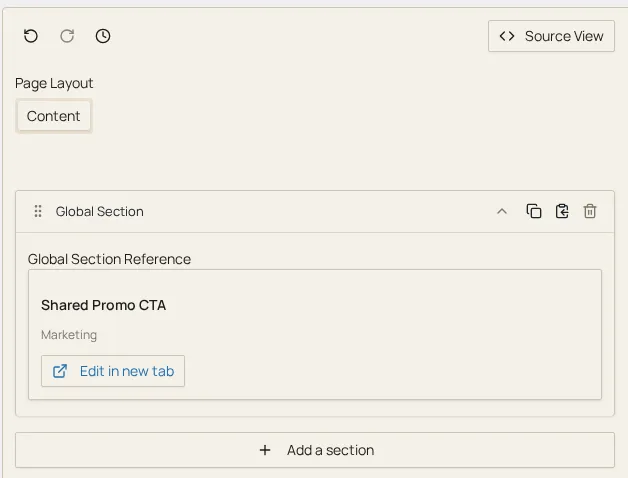
An editor also meets this same field type without a section author placing
it explicitly: the Add Section picker on any sections-type field carries
its own Global Sections tab (alongside the regular Sections and
Clipboard tabs) whenever global.yaml is present. Picking a card there
inserts a section whose one field is global-section, already pointed at
the chosen instance:
Where the shared content itself is authored
Section titled “Where the shared content itself is authored”Adding the field above only creates the picker. The global section instances it picks from (their own fields, their own saved values) are authored separately, through the premium plugin’s Global Sections list-and-edit admin pages (the same React editor used everywhere else in SEK, pointed at a shared instance instead of a page). See the Config Editor admin UI Premium for where that surface lives and what it does.
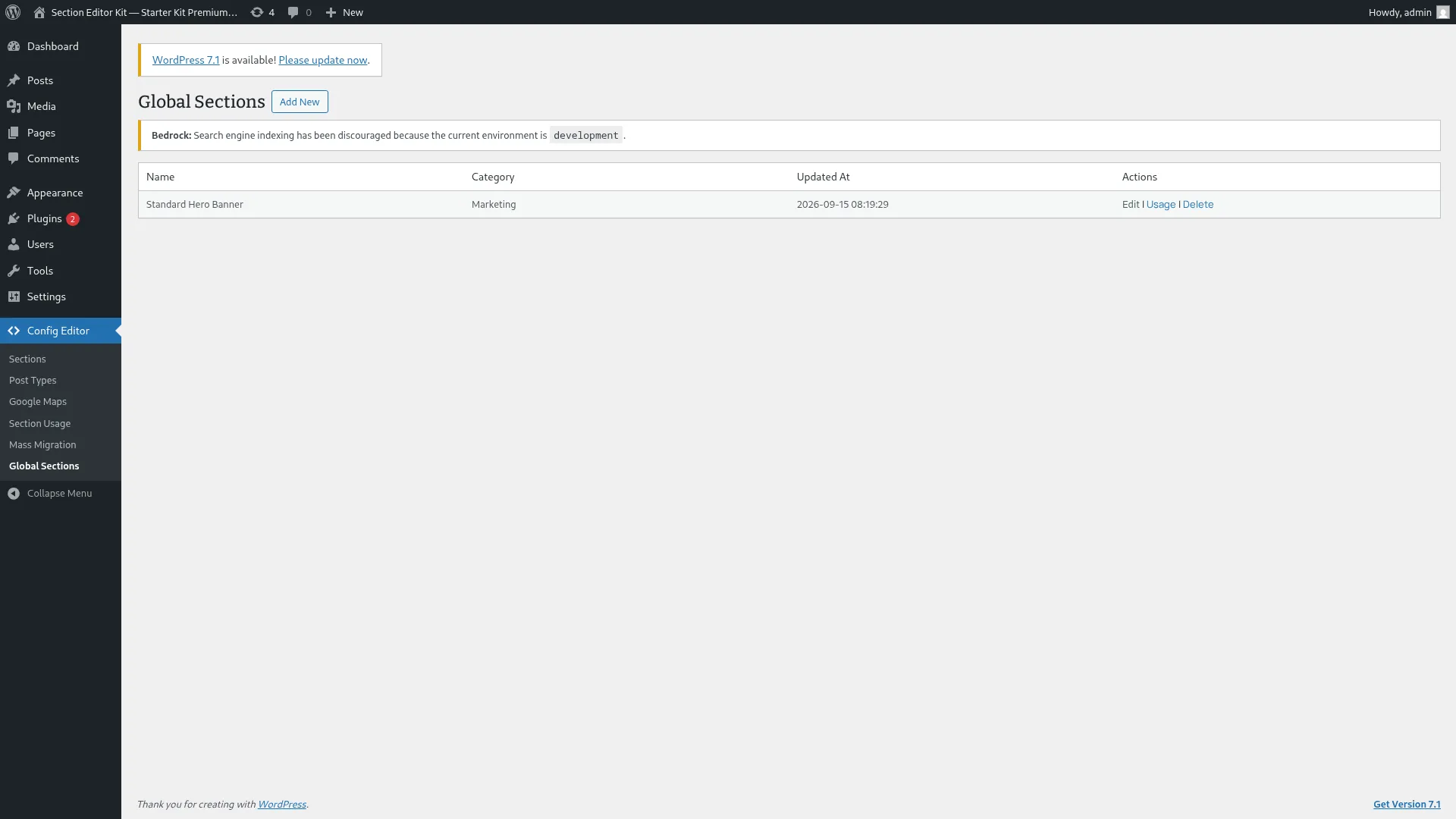
Here’s the Global Sections admin list table, name, category, and last updated for every saved global section, a premium-download feature:
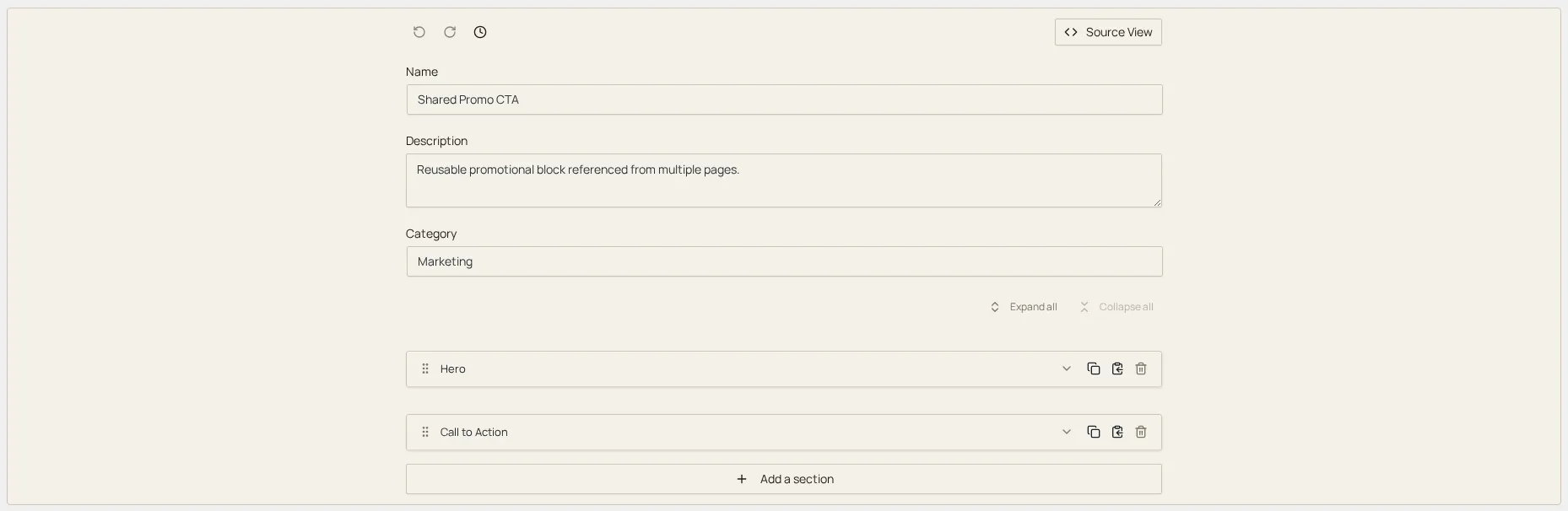
Opening a row’s edit screen shows why a global section needs its own list-and-edit surface rather than a single field’s worth of settings: a global section is itself composed of one or more ordinary sections, added and edited the same way sections are added anywhere else in SEK. Here’s a saved global section made up of two nested sections, a Hero and a Call to Action:
Once authored, a global section behaves like any other section wherever it’s referenced: it renders through the same render pipeline and its values reconcile against config the same way a local section’s do. The only difference is that its values live in one shared place rather than being copied per page.
Rolling a config change out to every usage
Section titled “Rolling a config change out to every usage”Because a global section’s definition can change like any other section type’s, existing shared instances need the same reconciliation story local sections get. At scale, propagating a structural change across every page that references a shared instance is Mass Migration Premium’s job, not something to hand-roll per page.
Where to go next
Section titled “Where to go next”- Global sections: the conceptual overview: what a global section is and when to reach for one over a local section.
- Field types: how
global-sectionfits among the other 42 field types. - Mass Migration Premium: rolling a structural change out across every usage of a shared section.