Blade templating & the render pipeline
Handles & Blade templates already covers
the render contract every template receives ($data and $sekAttr) and
shows the plain-PHP and Blade forms of a single template. This page goes one
level deeper: how the plugin walks a whole page’s sections to build that
output, the two render modes a theme can choose between, the helpers a
template leans on, and how live preview keeps a rendered page in sync as an
editor makes changes.
Two render entry points
Section titled “Two render entry points”Rendering funnels through one service, SectionRenderService, with two
public entry points:
renderSection($templatePath, $values, $sekAttr): the per-section primitive. Renders exactly one section’s template with the values and$sekAttrmarker you give it. This is what live preview’s fragment updates call.render($postId, $valuesRecord): the whole-page primitive. Walks a post’s resolved config tree and its stored (or in-flight) values together, recursively, and returns the concatenated HTML for every section instance on the page (no theme wrap, no<html>envelope). This backs thePOST /sek/v1/render-content/{postId}REST route and any other consumer that wants raw sections-body HTML (an SEO plugin reading rendered content, for instance).
Both funnel through the same inner dispatch, so a section renders identically whichever entry point reaches it.
A theme template that wants the page’s sections as a single piece of markup calls
the sek_render_sections() template tag, which is built on a third,
page-level method, renderPage(). It wraps every top-level section in
<div data-sek-sections>, the wrapper live preview looks for. See
The sek_render_sections() template tag.
The recursive descent
Section titled “The recursive descent”render()’s walker is driven entirely by each field’s type discriminator,
never by a fixed list of “where sections can live”: the same principle
reconciliation follows on the editor side.
At every level of a post’s config tree:
- a
sectionsorchildrenfield’s stored instances are each resolved to their section config byhandle, rendered, and then recursed into (a section can itself contain sections, to any depth); - a
tabsfield’s stored value is a map keyed by tab handle, and each tab’s ownfieldsare recursed into using that tab’s values; - every other field type is a leaf: nothing to recurse into.
An instance whose handle doesn’t match any known section config (an
orphan, usually a section type that was later removed from the theme)
is silently skipped, mirroring the same orphan-skip behaviour reconciliation
uses. A disallowed or unresolvable templatePath, or a template that throws,
doesn’t fail the whole page: it renders an inline
<div class="sek-preview-error"> in that section’s place with the reason,
and rendering continues for the rest of the page.
Classic PHP vs Blade
Section titled “Classic PHP vs Blade”A theme’s templates can be plain PHP includes (as in starterkit-classic)
or Blade views rendered through Sage/Acorn’s view(). This is a per-install
choice, made once through the sek/render_mode filter. The default is
'classic', so a theme with plain-PHP templates needs no code at all. A
Sage/Acorn theme opts in to Blade by registering the filter, usually in
app/filters.php:
add_filter('sek/render_mode', fn () => 'sage');Only the literal 'sage' selects Blade; any other return value falls back to
'classic'. The opt-in matters because the classic branch looks for a .php
file at the dotted path under the theme directory (blocks.hero becomes
blocks/hero.php), and a Blade theme keeps its templates as .blade.php
views. Without the filter that lookup finds nothing, so every section the
plugin renders comes out as the inline sek-preview-error div in place of its
markup, with a “Template render failed” message. That holds for the editor’s
live preview updates, for sek_render_sections(), and for the
render-content REST route. On the two server-rendered paths (the template
tag and the REST route) the message also names the unresolvable template
path; a live preview update shows the bare “Template render failed”.
Both branches are handed the exact same two keys (data and sekAttr), so
a template written against the contract in
Handles & Blade templates works
identically either way; only the file extension and templating syntax
differ (blocks/hero.php with <?= ... ?> vs blocks/hero.blade.php with
{{ }}/{!! !!}). The classic branch resolves templatePath to an
absolute .php file strictly inside the active theme directory (rejecting
.. traversal, absolute paths, and anything outside the theme root) before
including it.
Only paths under the two allowed prefixes, blocks. and sections., are
ever rendered: a templatePath outside that allowlist is rejected before
either render branch runs.
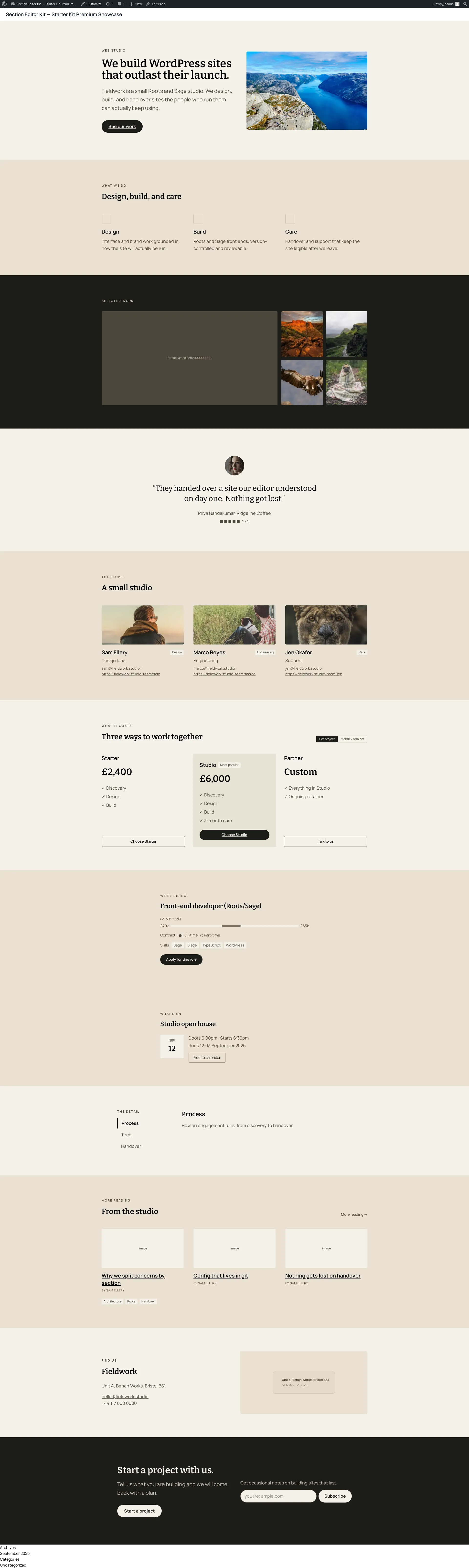
Both branches produce the same output for the same input. Here’s a section further down the page (a CTA section) rendered live through the Blade branch on the premium showcase:
Template helpers and shortcode pass-through
Section titled “Template helpers and shortcode pass-through”Two globals come from the plugin and are available wherever it runs, without a theme needing to define them:
-
sek(): the plugin’sSectionRendererinstance. ItsimageTag()andimageUrl()methods resolve an attachment id to an<img>tag or its URL, handling an empty/missing id gracefully (returning''). -
sek_text($value): renders a text/textarea/WYSIWYG/shortcode value through WordPress’sdo_shortcode(), then through anapply_filters('sek_text_value', ...)hook a theme can use to layer its own sanitisation. This mirrors core’sthe_contentfilter chain: shortcode expansion happens at render time, with no additional escaping. Save-time sanitisation (wp_filter_post_kses, only for users withoutunfiltered_html) is a separate, earlier step.A
shortcodefield’s stored value is a compound shape,{ tag, atts, content? };sek_text()composes that into a real[tag attr="value"]content[/tag]string (attribute keys/values escaped viasanitize_key()/esc_attr()) before expanding it, so ashortcodefield and a plain string both pass straight throughsek_text()the same way.
A theme typically wraps sek()’s methods in its own convenience helpers:
starterkit-classic ships sek_image()/sek_image_url() (thin wrappers
around sek()->imageTag()/imageUrl()) and its own theme-owned icon() for
resolving an icon field’s symbol name to inline SVG. Those wrappers are
theme code, not part of the plugin’s contract; a theme is free to shape them
differently or skip them and call sek() directly.
Live preview: the fidelity contract
Section titled “Live preview: the fidelity contract”Live preview renders a theme’s own templates inside an iframe and keeps them
current as an editor edits: without ever wrapping a template’s output in
plugin-owned markup. The whole guarantee rests on $sekAttr: it’s an empty
string on a live page and a data-section-id marker only inside the preview
iframe, so live output is byte-identical to what the template produces with
no plugin involved at all. A theme opts in with three things:
-
{!! $sekAttr !!}on every top-level element of a section template (multi-root templates carry it on all their roots). -
data-sek-sectionson the element wrapping a page’s section list, so the preview client knows where sections live in the DOM. -
Two optional lifecycle hooks, only if a section owns interactive JavaScript that needs to re-run after its markup is swapped:
window.sekInit(container) // after new section DOM is livewindow.sekDestroy(container) // before outgoing section DOM is removedcontaineris always a temporary wrapper<div>scoped to the mutation (query inside it, never the whole document), andsekInitmust be idempotent (checked via adata-sek-initialized-style marker), because the preview client may call it more than once on the same DOM.
The full theme-author contract (multi-root templates, batch ordering across
a mixed update, the jQuery post-load legacy rider, the teardown-registry
pattern for window/document-level listeners, and the unmarked-template
fallback behaviour) is documented in the plugin’s own theme-author guide,
shipped alongside the plugin at
section-editor-kit/docs/live-preview-theme-guide.md. Read it in full
before wiring interactive JavaScript into a section template. For what live
preview looks like from the content-editor’s side, see
Live preview in the editor track.
Where to go next
Section titled “Where to go next”- The
sek_render_sections()template tag: render a page’s sections from any theme template. - The
.sek.ymltheme opt-in: how a theme registers the sections directory this pipeline reads templates from. - Reconciliation: the editor-side walk this page’s render-side walk mirrors.