Live preview
Live preview is a free feature: it’s not something you need the premium plugin for. It’s opt-in per post type: a post type only shows a preview panel if its config turns the capability on, so whether you see one depends on what’s being edited, not on which plugin you have.
The split pane
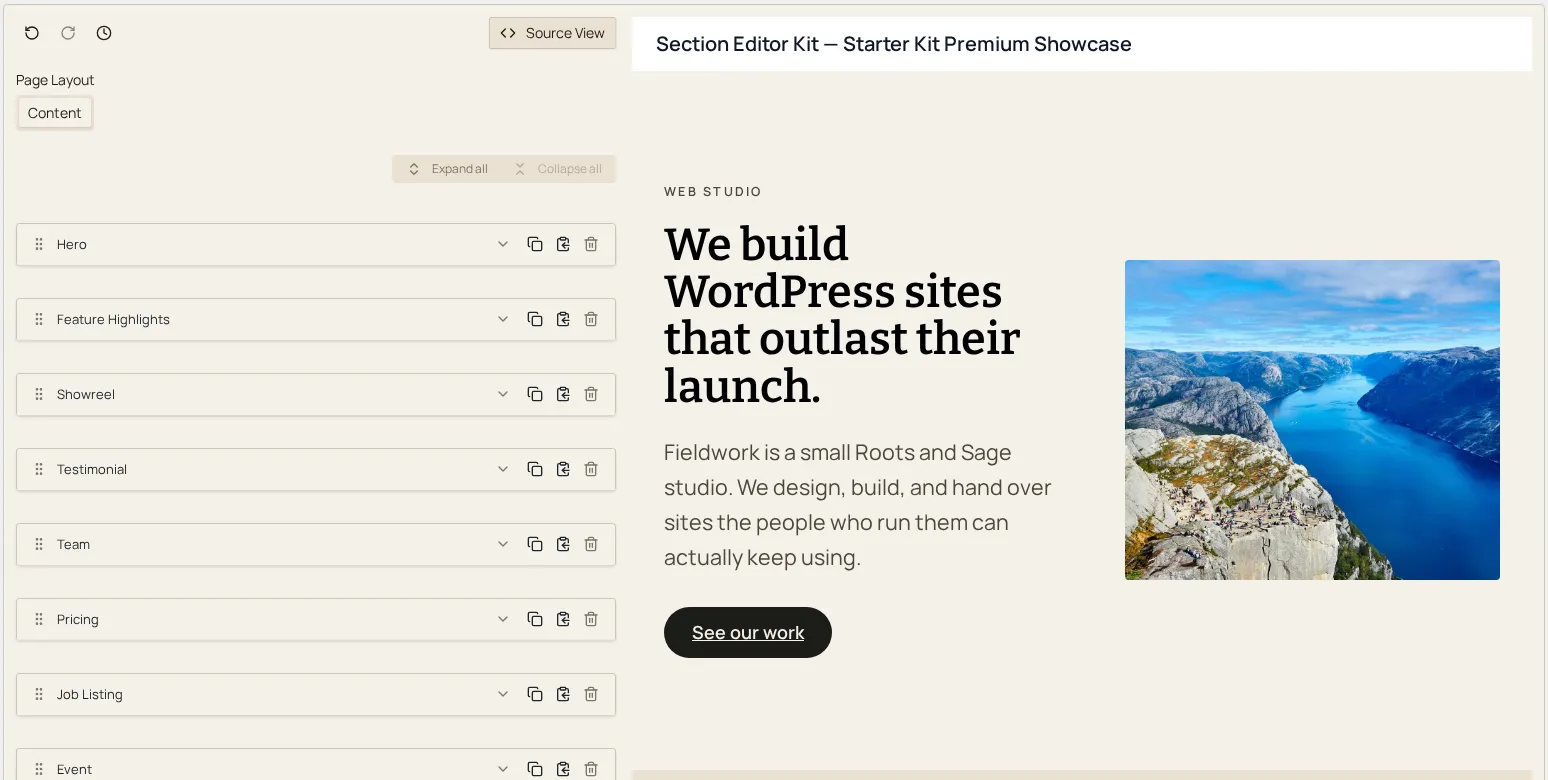
Section titled “The split pane”When preview is available, the editor renders as two columns: your form on the left, and the live preview (an iframe rendering the actual page template) on the right, pinned in place as you scroll the form. Editing a field updates the preview shortly after you pause typing; while an update is in flight, a thin progress indicator runs along the top of the preview pane.
If the page hasn’t been saved as a draft yet, the preview pane shows a prompt to save as a draft first: preview needs a real post to render against.
What makes it faithful
Section titled “What makes it faithful”The promise of live preview is that what you see is what the front end
actually renders: not a simplified or separately-maintained
approximation. Section templates mark their own root element with a
special Blade directive that emits a data-section-id attribute only
inside the preview iframe, and renders as nothing at all on a live page.
The plugin never wraps a template’s output in extra markup of its own, so
outside the preview, page output is byte-identical to what the raw
template produces: the marker used to make preview updates possible
leaves zero trace on the real front end. See the developer-facing
render pipeline page for how
templates connect to this.
Keeping it responsive
Section titled “Keeping it responsive”Preview updates are batched and debounced rather than firing on every keystroke: after a brief pause in editing, the editor sends across only the sections that actually changed since the last update, and the preview patches those in place instead of reloading the whole page. A handful of structural changes (the kind that can’t be reflected by patching a section in place) trigger a full preview reload instead; either way, the progress indicator tells you an update is in flight, and an error banner appears if one fails.